Describe the part.
Keep control of
the details.
For the bracket, holder, or oddly specific thing that doesn’t exist yet.
Turn a description, sketch, or photo into a parametric model. Adjust the dimensions, review the findings, and take the files to your workshop.
Join the launch list Follow a real part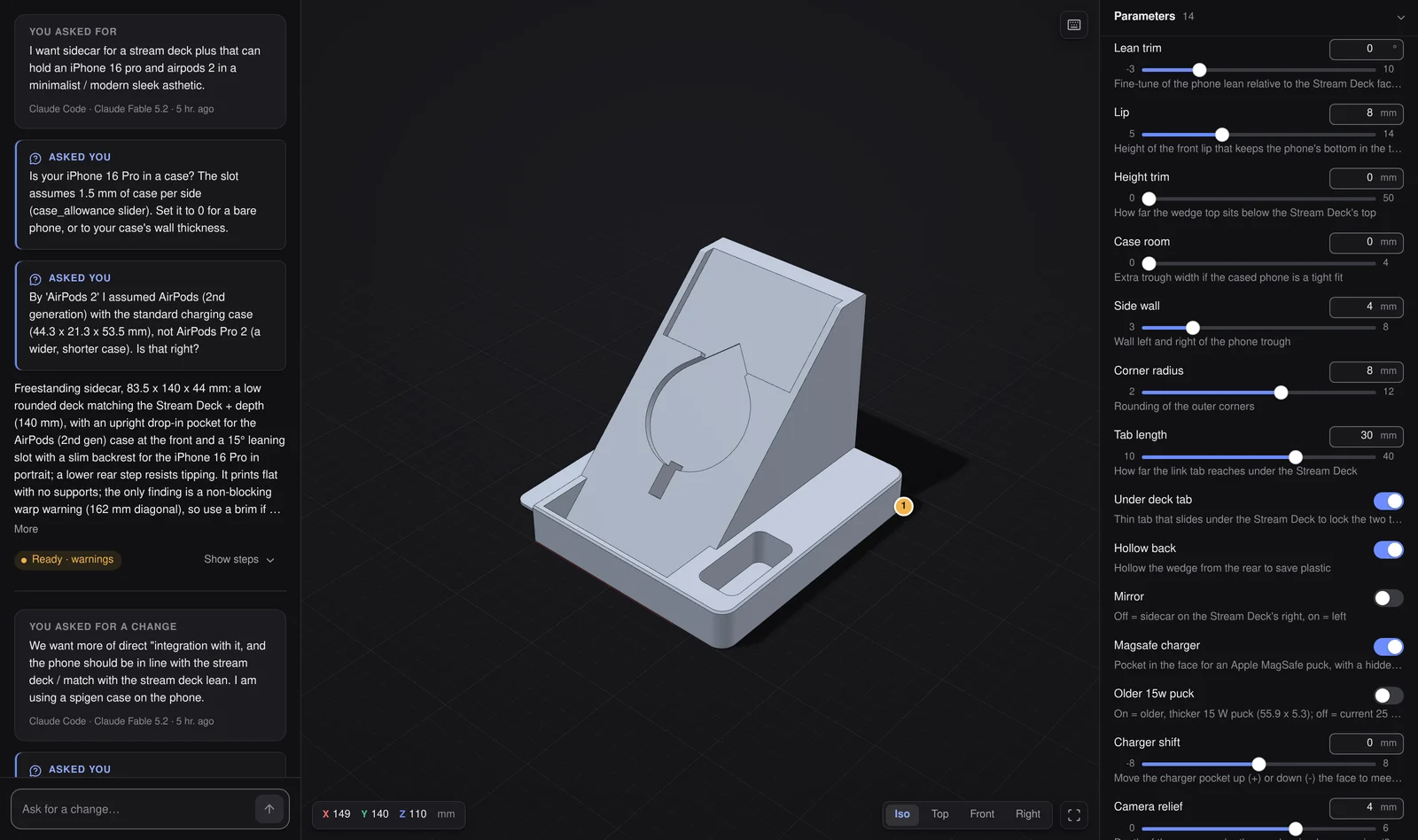
An oddly specific idea.
A very tangible part.
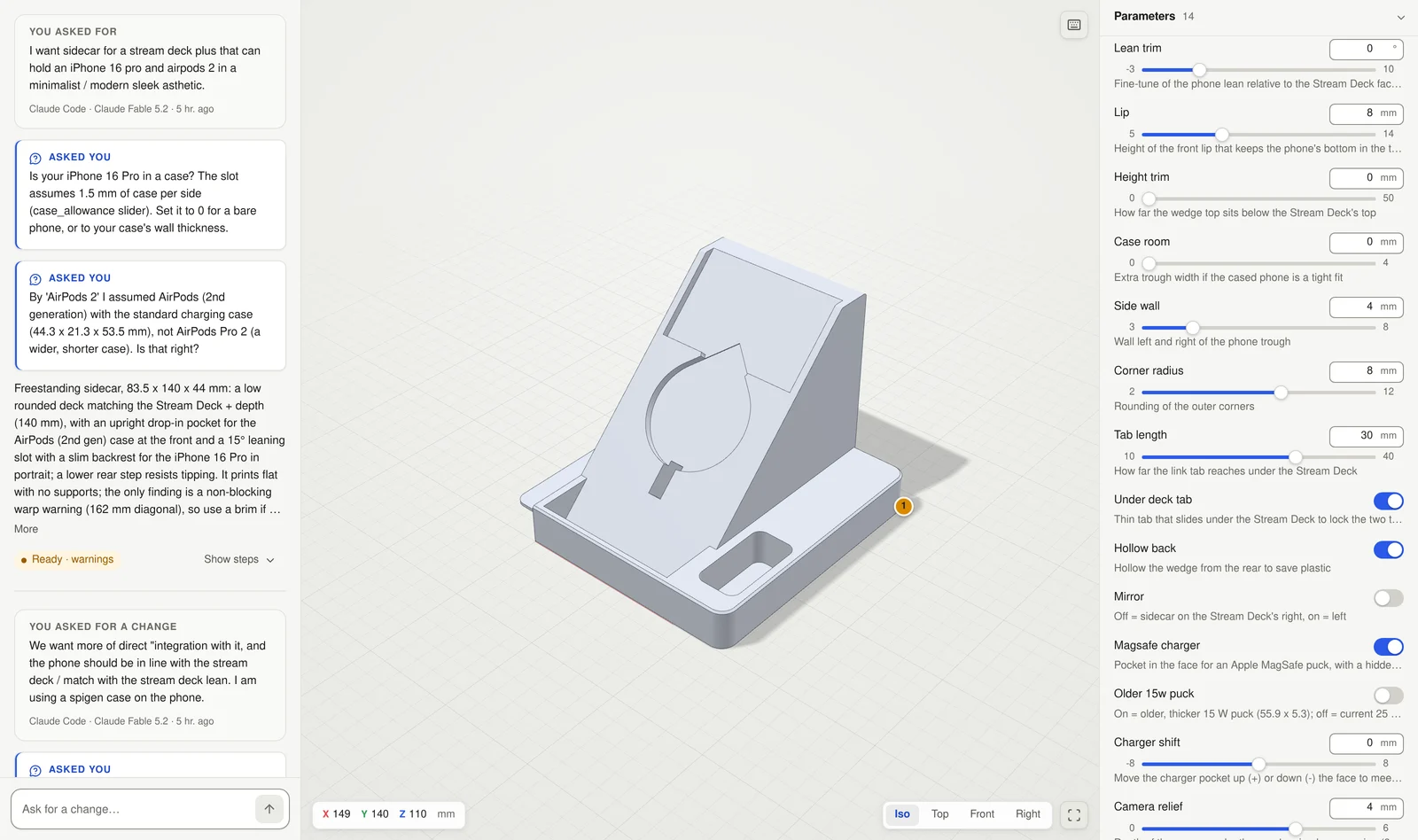
This one started with a place for an iPhone and AirPods beside a Stream Deck +. Then came the case, the lean, a MagSafe pocket, and somewhere to hide the cable.
Cadinator builds solid geometry from a parametric model. The conversation refines the design; the dimensions stay available to inspect and change.
“I want sidecar for a stream deck plus that can hold an iPhone 16 pro and airpods 2 in a minimalist / modern sleek asthetic.”
Original wording from the internal project. Shown below after several revisions; fit has not been physically verified.
02 / THE DIMENSIONS
The details
are still yours.
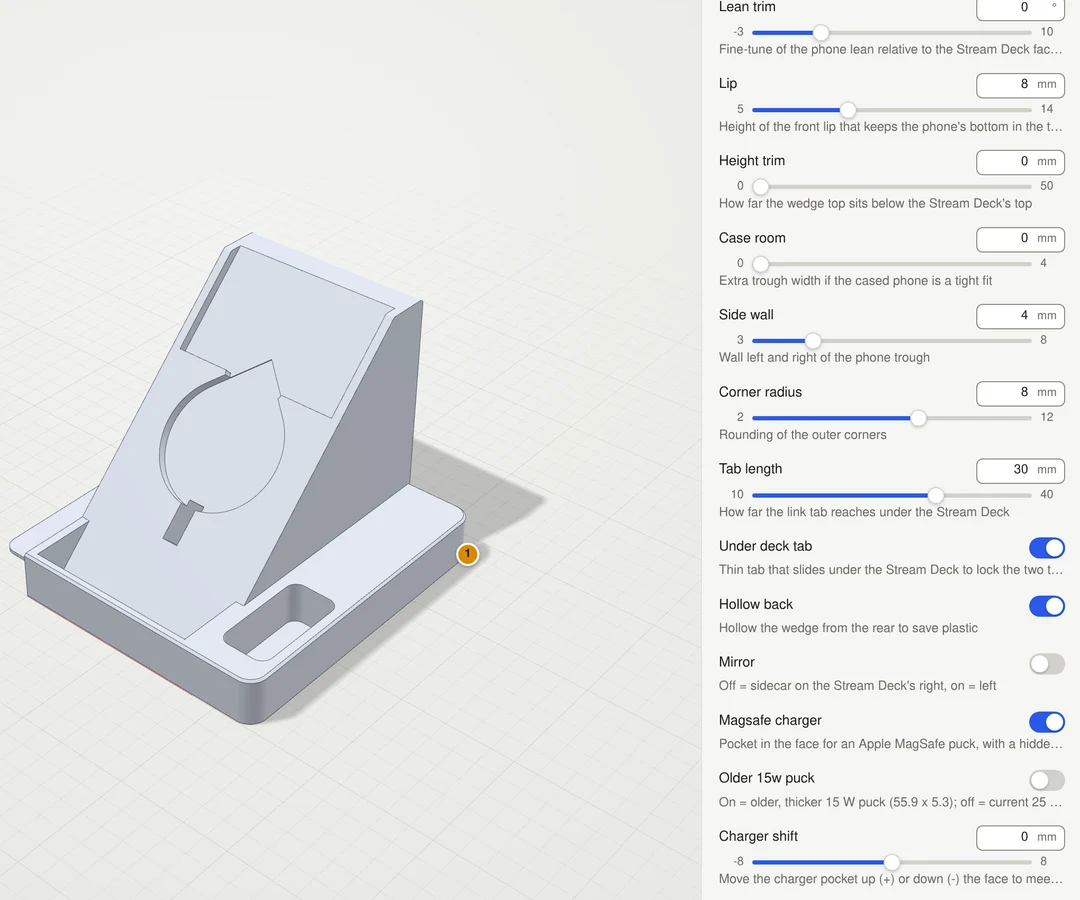
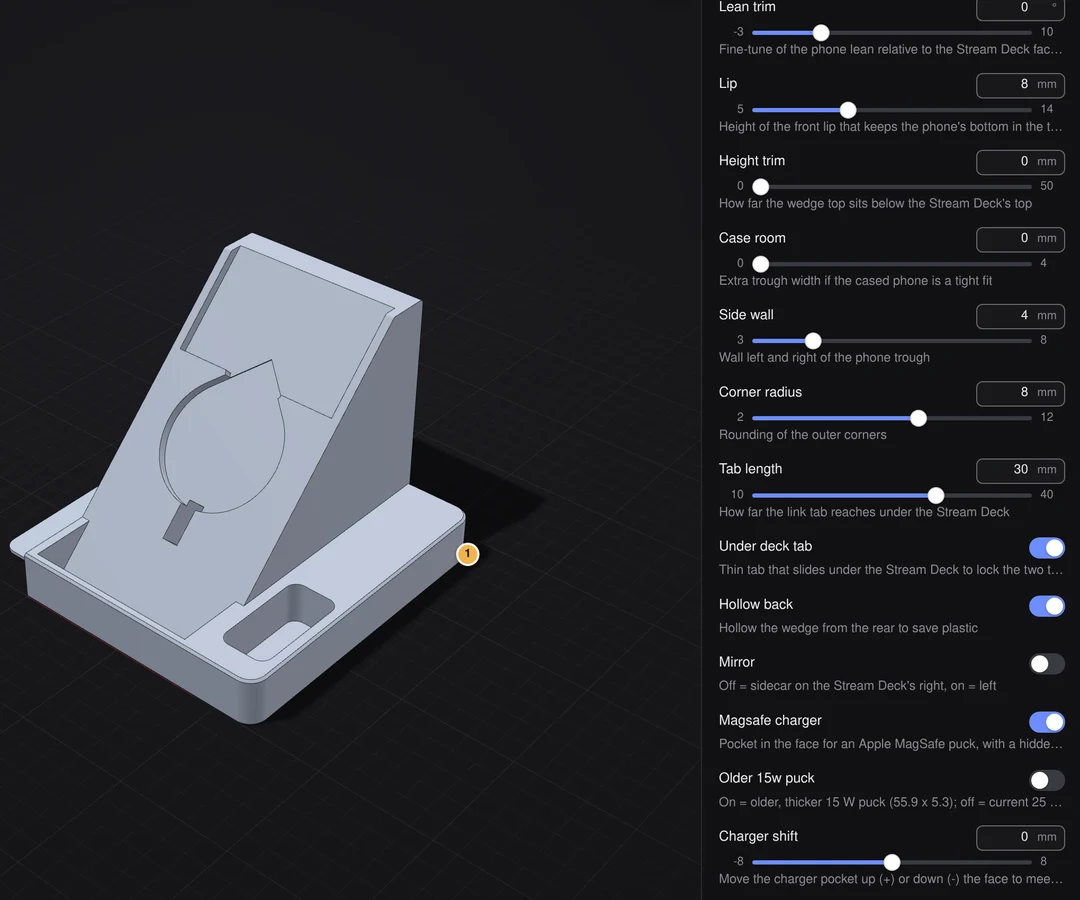
Make room for the case. Change the lip. Move the charger pocket. Exposed parameters rebuild the model instead of stretching a mesh.
- Front lip
- 8 mm
- Side wall
- 4 mm
- Camera relief
- 4 mm
Actual values from this revision. Some source measurements remain provisional and need checking against the hardware.
A warning you can
do something with.
Checks flag potential problems in the geometry. They give you something concrete to review, revise, or account for in your slicer.
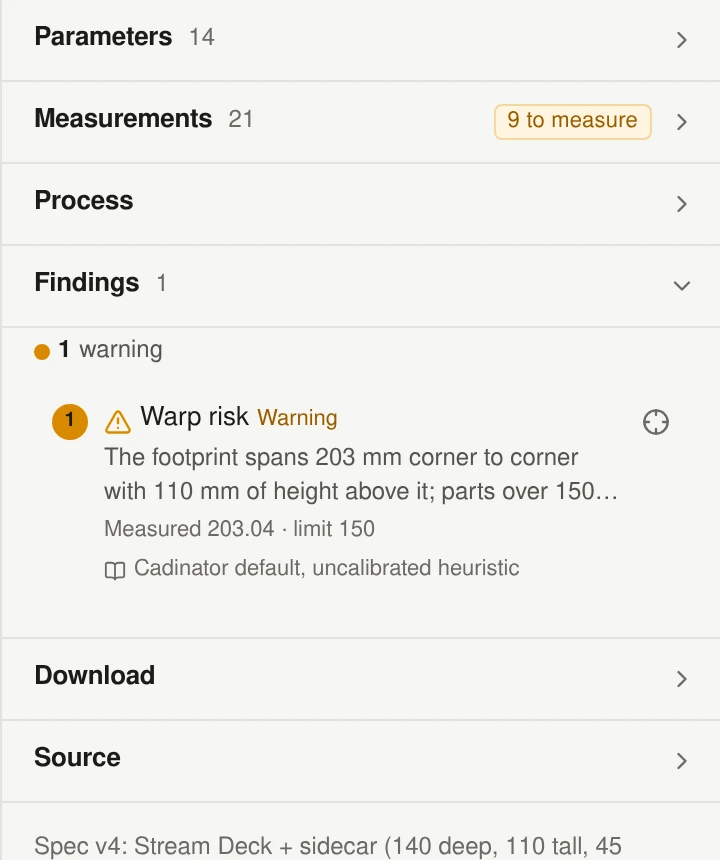
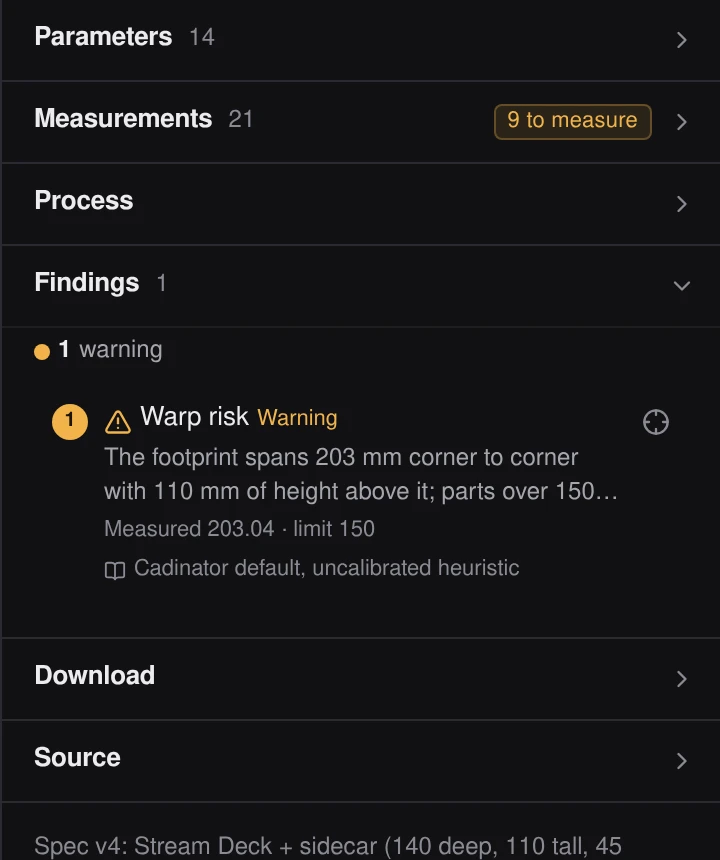
WARNING / CORNER WARPING
A broad footprint can curl as it cools.
This sidecar spans 203 mm corner to corner, above the check’s 150 mm threshold. The finding suggests rounding the corners, adding brim tabs, or splitting the part.
A real finding from this model. A geometric heuristic, not a print or strength guarantee.
04 / THE HANDOFF
A part should leave
with useful files.
Export a mesh for your slicer or exact geometry for further CAD work. Keep checking the measurements, material, printer settings, and fit.
- STL
- Mesh geometry for your slicer.
- STEP
- Exact solid geometry for CAD. Native feature history does not transfer.
- 3MF / GLB
- Also available: slicer-friendly files and a shareable 3D format.
Your model keys.
One flat Cadinator fee.
The planned public service uses your own model API keys. Pay your provider for model usage and a separate, small flat fee for Cadinator.
CADINATOR SUBSCRIPTION
TBD/ month
Pricing TBD. The price, supported providers, and public launch date are not set. Public access and billing are still in development.
Model-provider charges are separate. No payments are collected here.
GET UPDATES
Have a part in mind?
Public access is in development. This will be the place to hear when it opens.
Can I use Cadinator today?
The current app is internal. The public service is in development; this website does not provide access yet.
Do I need my own model key?
That is the plan for the public service. Supported model providers and key setup are still being finalized. Do not send a model key through the launch-list form.
Will every part print and fit?
No. Findings identify potential issues, and measurements can be provisional. Verify dimensions, material, printer settings, tolerances, and fit before relying on a part.
Can I take the model to another tool?
STL and 3MF are available for slicing, STEP for exact CAD geometry, and GLB for 3D viewing. STEP does not carry a native sketch or feature history.